For fantasy writers
Writing software for fantasy novels
Fantasy asks more of a writing app than most genres: a world with its own history, magic and calendar, a cast that runs into dozens, and often a saga instead of a single book. ForgeTales keeps all of it in one project, with Atelier, its writing studio, right beside your lore, so checking the world never means leaving the page. It works offline on your computer, tablet and phone, has no AI and is paid for once.
Your world and your book in the same place
In fantasy, the manuscript is only half the work. The other half is the world: a cast that keeps growing, places with their own history, wars, dynasties and a magic with rules. Most writers keep that world in one app and the book in another, and spend the day switching between them.
In ForgeTales they share a project. As you write in Atelier, it detects the characters and lore you mention and shows their sheets beside the page, so checking an eye color or the date of a treaty takes one glance. And the lexicon collects the words your world invented, with their definitions, so the spellchecker stops flagging them.
Magic, factions and lore in your own wiki
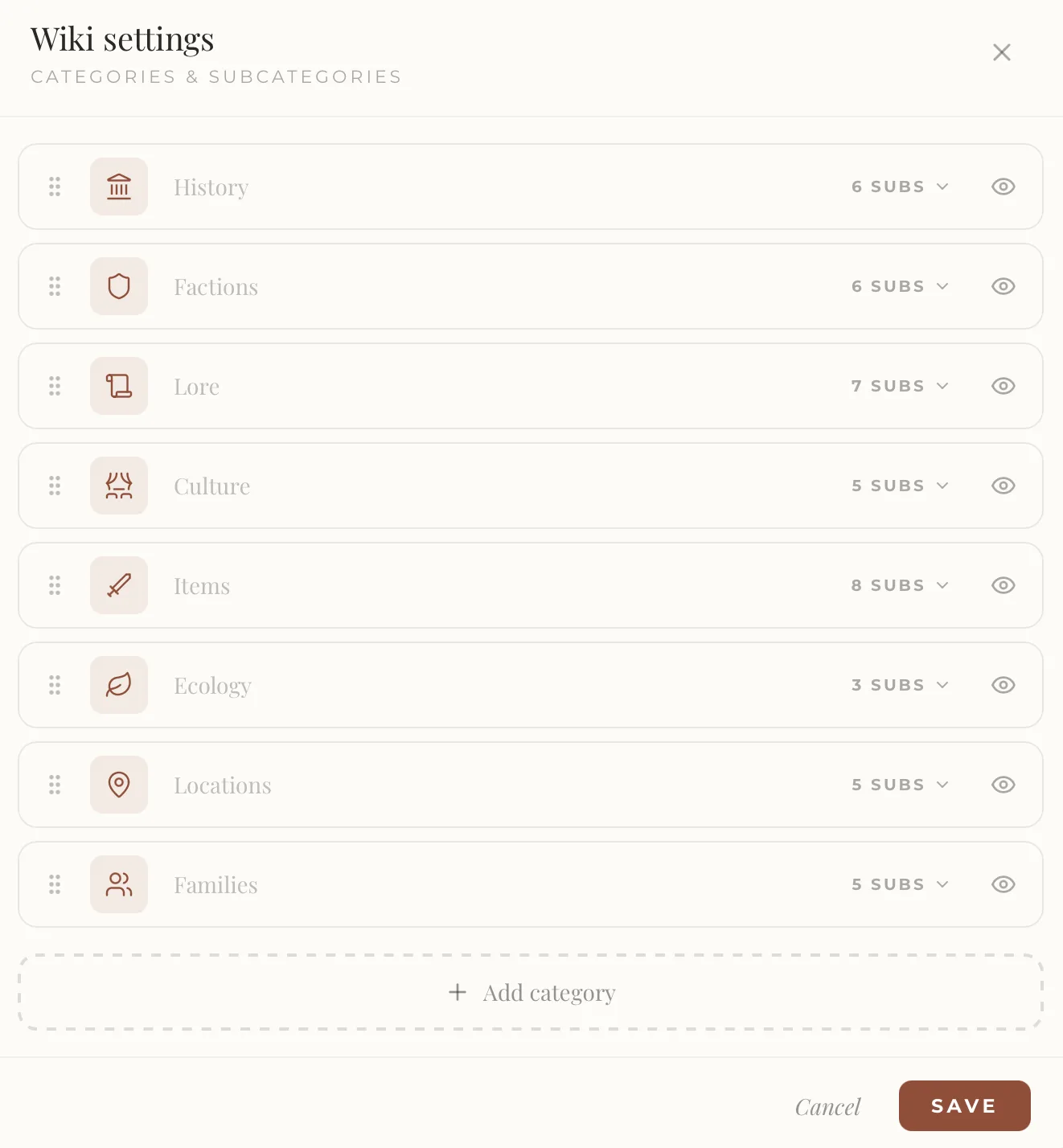
The wiki is where the rest of your world lives, as entries that link to each other: kingdoms and cities, deities and prophecies, guilds, knightly orders and schools of magic, artifacts, spells and potions, languages and festivals. Its categories come with subcategories made for this kind of story, and a magic system is one of them: an entry under lore where you write down how your magic works, what it costs and who can use it.
Entries are built from flexible blocks, so each one takes the shape its subject needs, and once you find the right structure for a kingdom or a religion you can save it as a template. The article about a war links to the factions that fought it, the places it scarred and the characters it orphaned, and all of it is one click away while you write.
Noble houses, dynasties and heirs
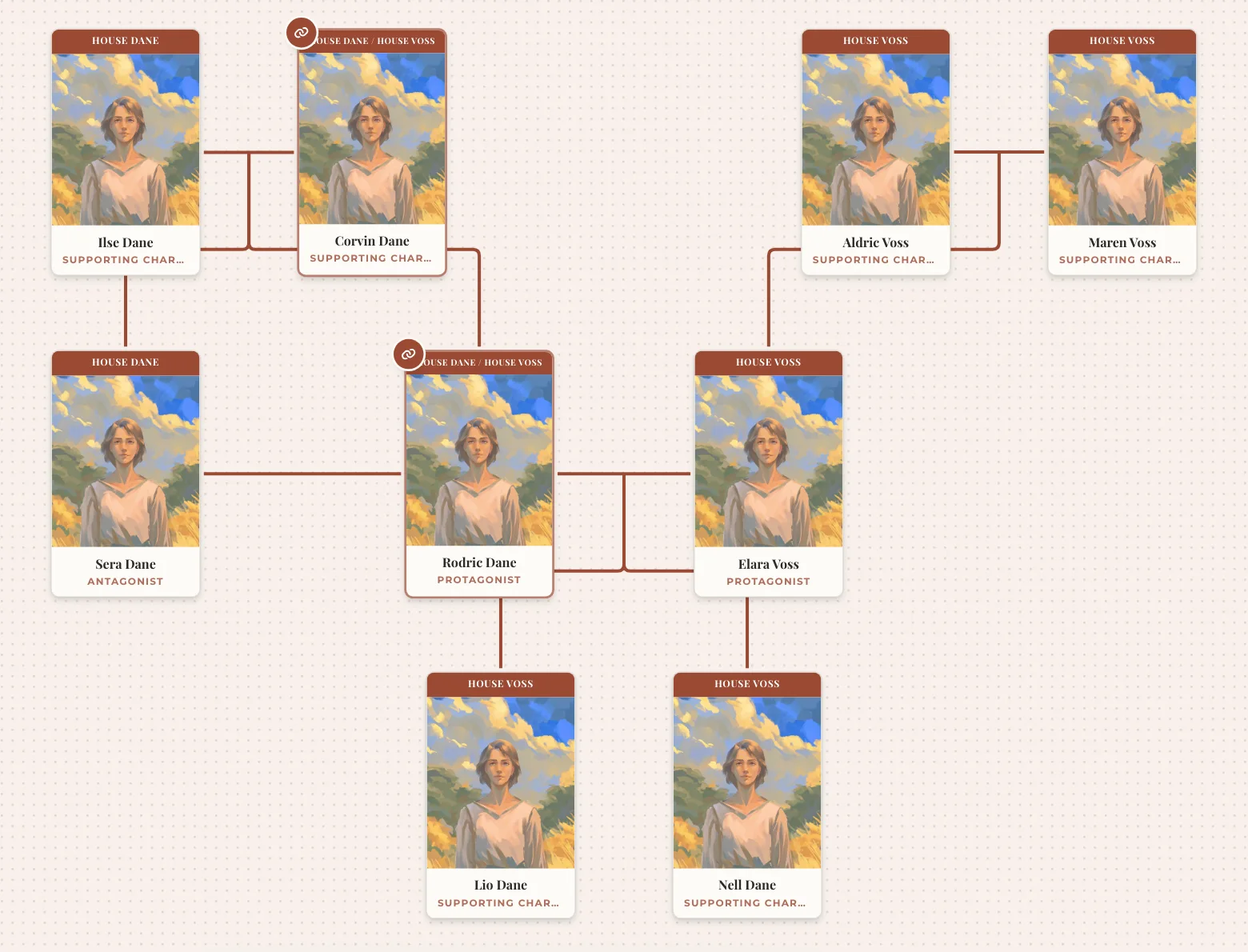
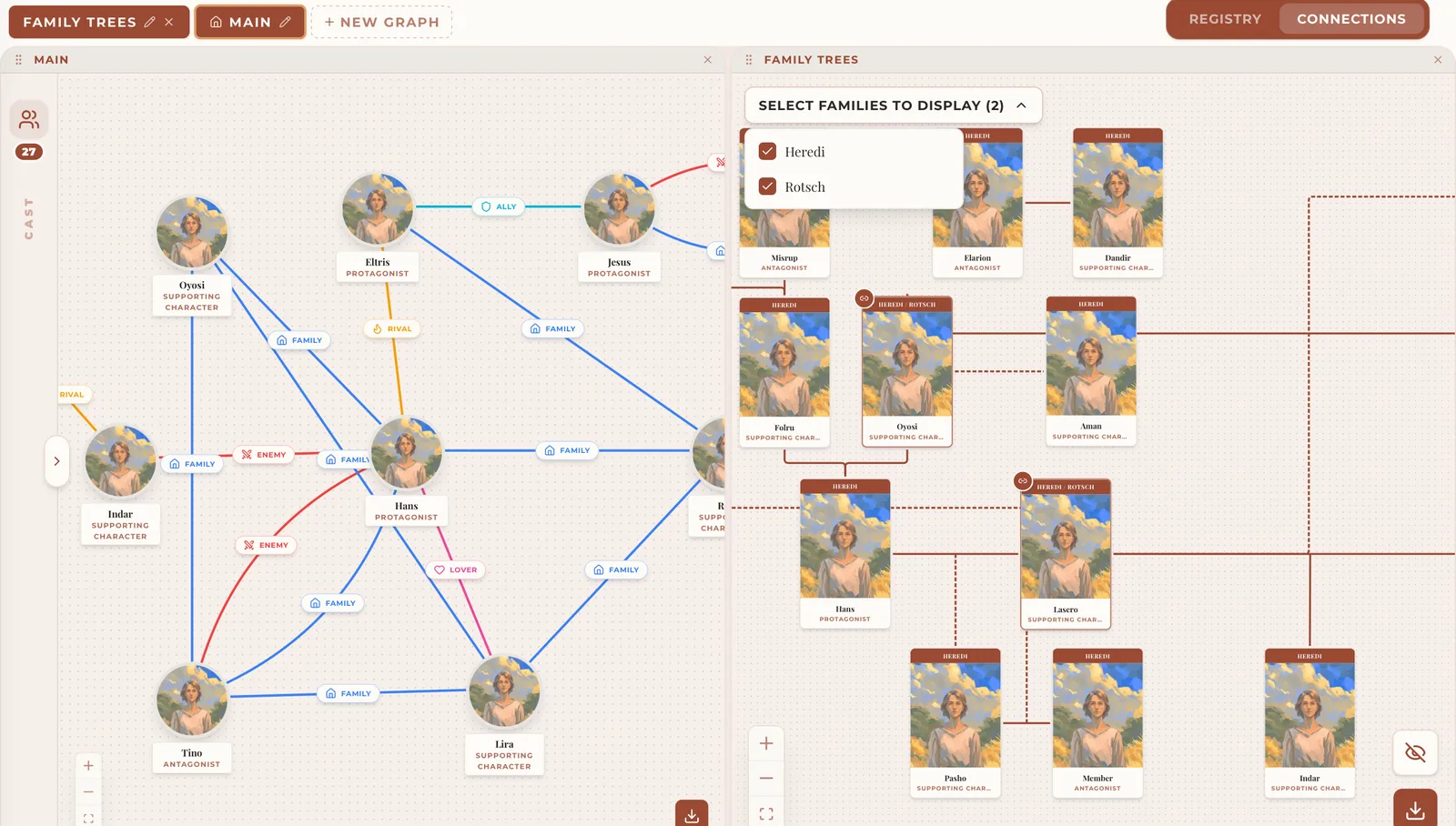
Successions, arranged marriages and forgotten heirs drive a lot of fantasy, and they only work if the family tree holds up. ForgeTales draws family trees with the characters you have already created: spouses and betrothals, twins, adoptions and half siblings, generation after generation.
A political marriage joins two houses, and the character at the center of it appears in both trees, marked as the link between them. Since everyone on the tree is a character sheet, a new title or a change of allegiance is updated once, and the finished tree can be exported as an image to keep at hand or to place at the front of the book.
Eras, calendars and moons of your own
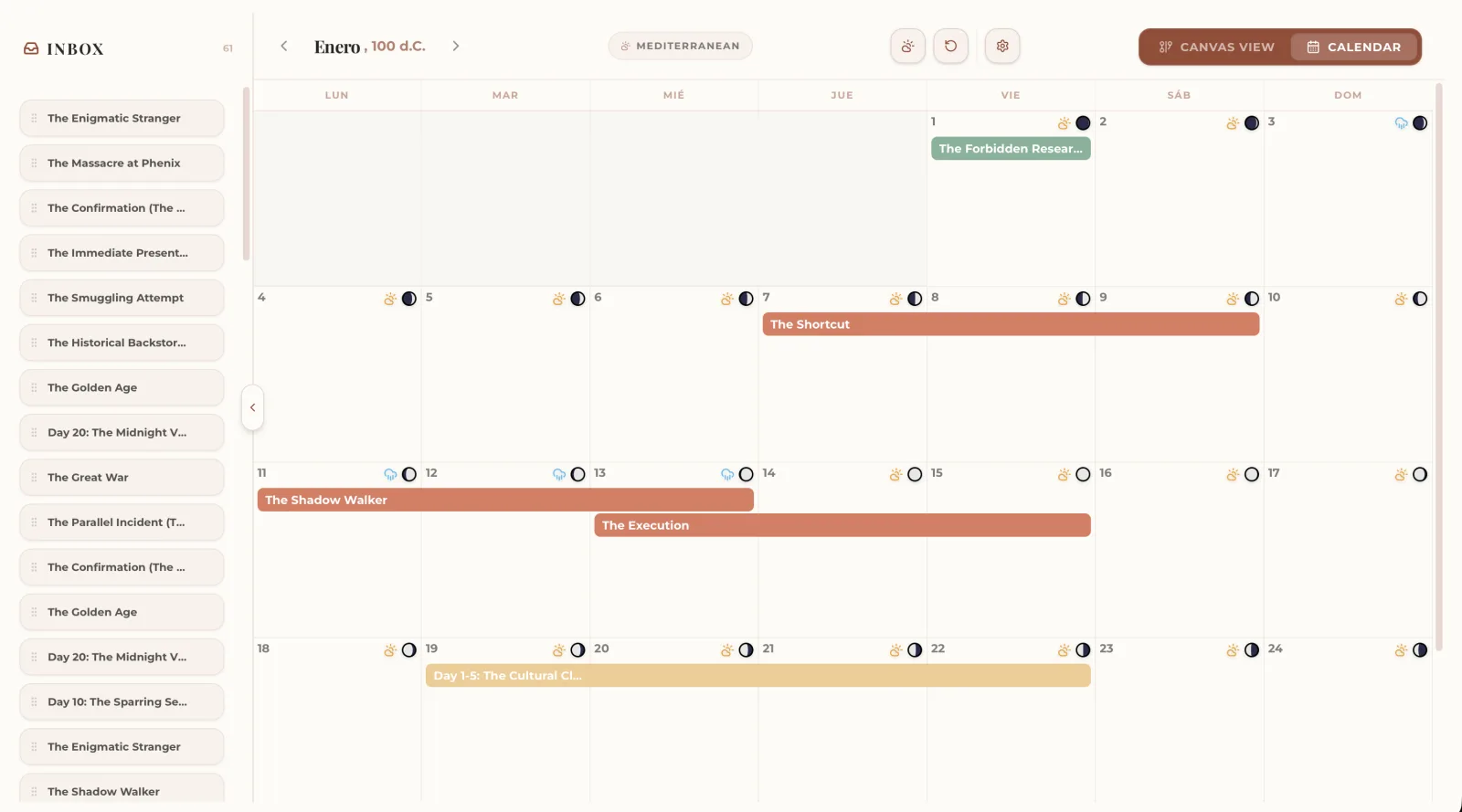
Few fantasy worlds count twelve months around a single moon. In ForgeTales you build the calendar of yours, with its own months and weekdays, several moons with their phases, festivals and eras, or you start from a preset such as the Gregorian calendar or the Calendar of Harptos.
That calendar is the one your plot runs on. The events of your plots land on its days, journeys that take several days stretch across the month in the color of their storyline, and each day can carry its own weather, so you always know which moon was up the night of the battle.
A cast of dozens, without losing anyone
Epic fantasy tends to have a long cast: point-of-view characters, rivals, mentors, minor nobles who come back three books later. Each one gets a full sheet with background, habits and personality, and the small details you would otherwise forget, from an eye color to the oath sworn in chapter four.
The relationship map draws who is family, ally, enemy, mentor or lover of whom, with your own relationship types when the list falls short, so a betrayal halfway through the saga is planned rather than improvised. And the presence map in Atelier shows which characters appear in each chapter and who has been missing for too long.
From the first book to the whole saga
Many fantasy novels are the first book of something longer. A project in Atelier can hold several books, each with its own acts, chapters and scenes, and you compile any one of them on its own: to EPUB for an ebook, to a print-ready PDF or to Word for your editor, with book templates, drop caps and chapter ornaments.
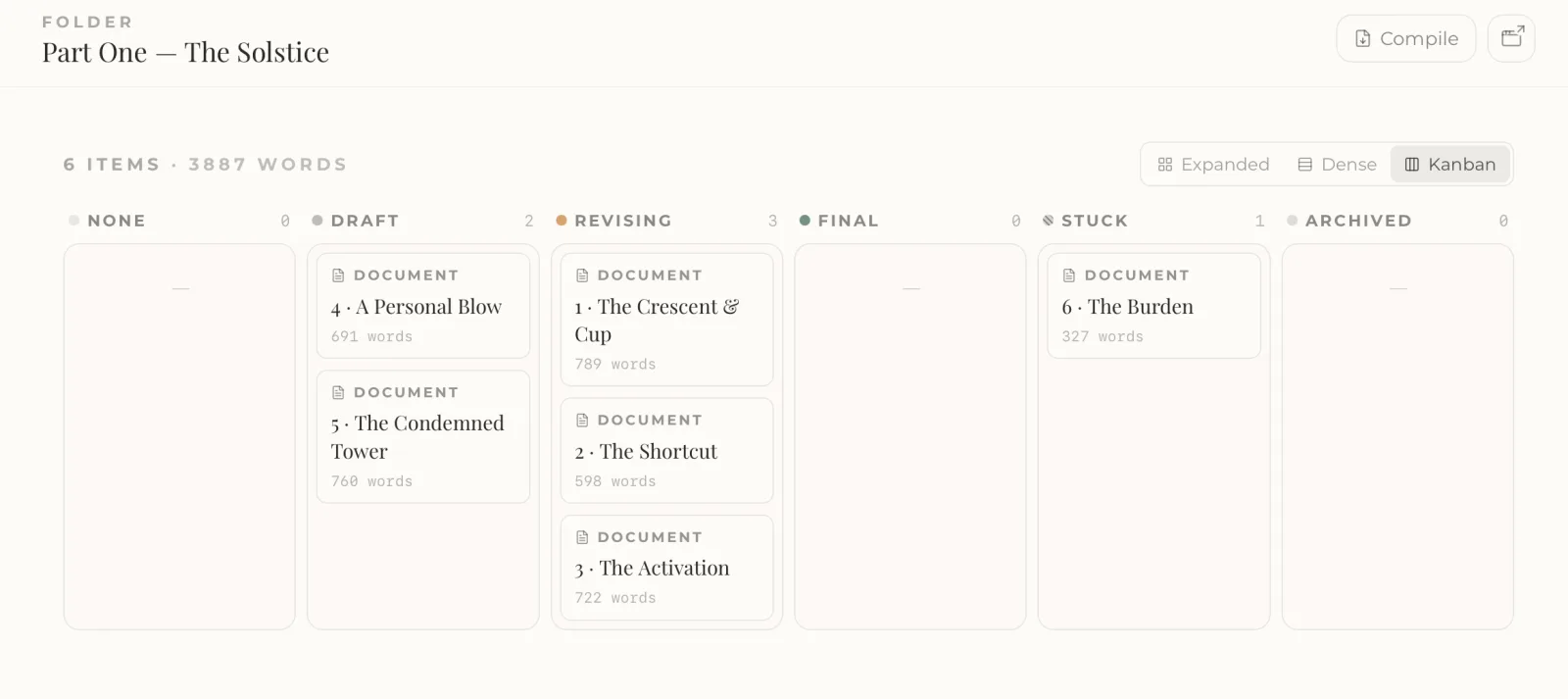
If you prefer one project per book, characters, wiki entries and events can be shared between them with a live link: edit the original in any book and the change reaches all of them. Snapshots keep earlier versions of every scene, and the kanban board shows what is drafted, what needs another pass and what has been stuck for weeks.
What ForgeTales doesn't do yet
Maps arrive in December
Atlas, the map module, comes out in December 2026. Until then, you can keep the maps you draw in other programs as images in a moodboard, next to the rest of your references.
No co-writing yet
Collaboration is on the roadmap. Today ForgeTales is a private studio for one writer: sync between your own devices is optional and goes through your own cloud, such as Dropbox, Google Drive, OneDrive or iCloud Drive.
It doesn't publish your world
If you want readers or players to browse your setting online, World Anvil and LegendKeeper are built for that. ForgeTales keeps your world private on your device; you can export characters and wiki entries to Markdown or PDF, and the book to EPUB, PDF and Word.
Frequently asked questions
What is the best software for writing a fantasy novel?
It depends on how you work. If you want your world and your manuscript in the same place, offline on every device and paid for once, ForgeTales was made for that: character sheets, a wiki with categories for magic, factions and lore, family trees, custom calendars and a writing studio that recognizes your characters. Scrivener is the classic manuscript tool, Campfire has dedicated modules for magic systems and languages, and World Anvil is the best known for publishing a world online. Our guide to the best apps for writing fantasy compares them all.
How do I organize the worldbuilding of a fantasy saga?
Keep one source of truth for each thing: a sheet per character, a wiki entry per place, faction or magic system, and one calendar and timeline for the whole world. Link them to each other so a change shows up everywhere, and keep them next to the manuscript, so you check the world while you write instead of from memory. In ForgeTales, a saga can be one project with several books, or one project per book with characters, wiki entries and events shared through live links.
Can I create a magic system in ForgeTales?
Yes, in the wiki. Lore has a subcategory for magic systems and factions include schools of magic, so you can write down how your magic works, what it costs and who can use it, and link it to the characters, artifacts and spells it touches. There is no separate magic module: a magic system is a wiki entry, with the sections and fields you choose, and you can save its structure as a template.
Does ForgeTales work offline?
Yes. It's installed on Windows, macOS, Linux, iPhone, iPad and Android, and works fully offline without an account. Your worlds and manuscripts are stored on your own device, and sync between devices is optional and goes through your own cloud.
Does ForgeTales use AI?
No. ForgeTales has no generative AI: it won't write your prose or invent your world, and nothing you write is sent to us or used to train models.
How much does ForgeTales cost?
You can start for free with no time limit: one world with 15 characters, 20 timeline events and 20 wiki notes, plus your first 10,000 words in Atelier. The Founder license removes every limit for €79.99, Atelier unlocks unlimited writing for €39.99, and both together cost €119.98, each paid once, with no subscription.
The 10 best apps for writing fantasy →ForgeTales vs Scrivener →ForgeTales vs Campfire →ForgeTales vs World Anvil →
Start your world for free
Download ForgeTales and build your world on the free plan, with no time limit, on Windows, macOS, Linux, iPhone, iPad or Android. No account needed.