
Inside ForgeTales
A private wiki for your world's lore
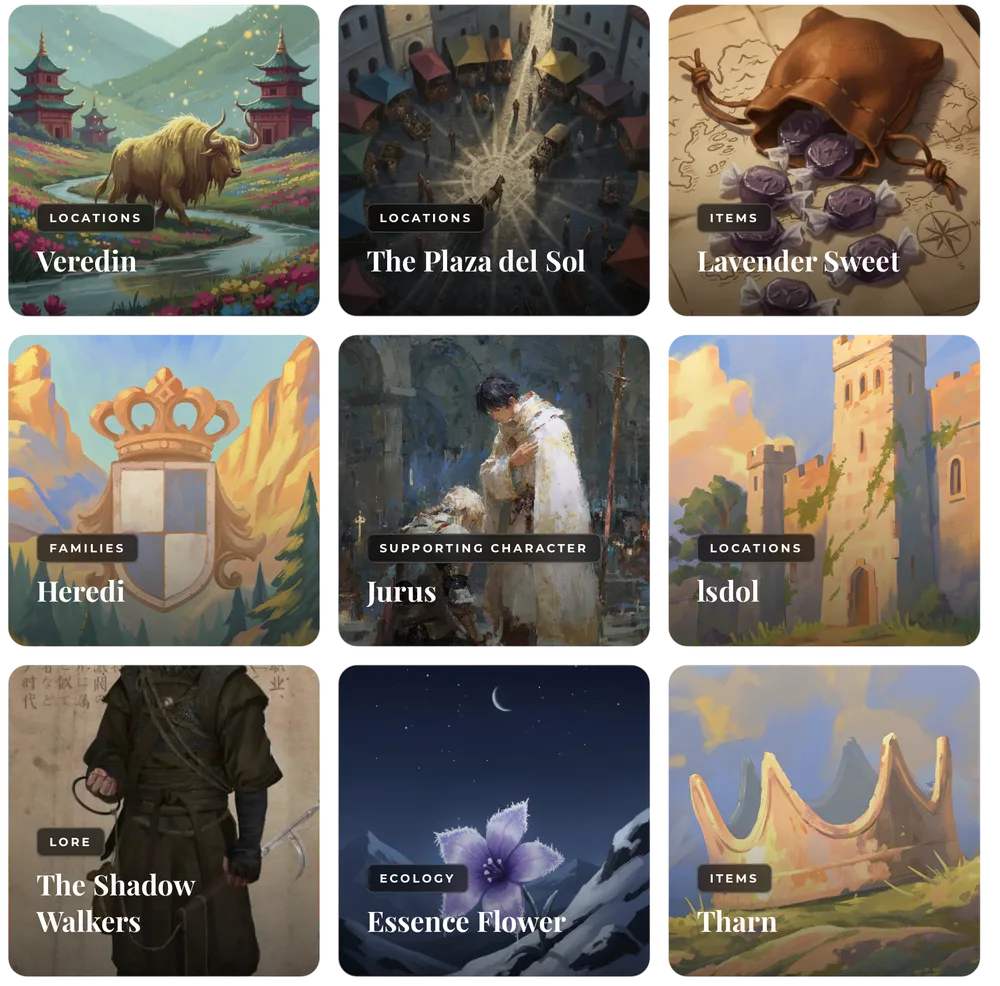
Every serious world eventually needs its own encyclopedia. ForgeTales gives you a personal wiki where history, cultures, factions and lore live as interconnected articles: cross-linked, organized, and stored entirely on your own machine. Your own Library of Alexandria, minus the fire risk.
A wiki that links like your world does
Every world eventually outgrows its notes. The wiki in ForgeTales is your private encyclopedia: entries for kingdoms, gods, wars and taverns, cross-linked the way your world actually connects: the article about a war links to the factions that fought it, the places it scarred and the characters it orphaned.
And because it lives inside ForgeTales, the wiki talks to everything else: link entries to characters and timeline events, and keep the whole web one click away while you write.


Categories that follow your world's logic
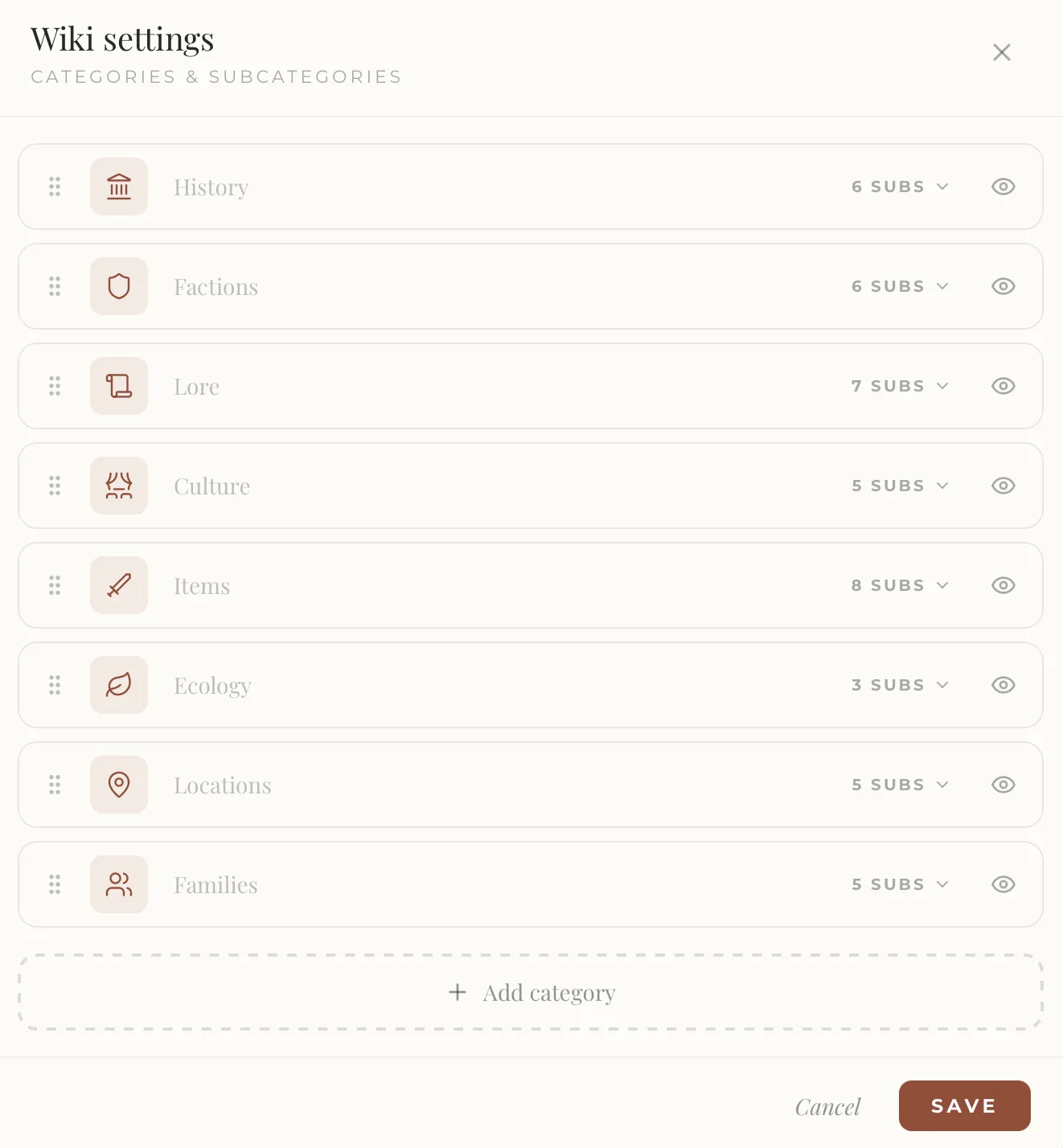
Out of the box, the wiki arrives organized the way most worlds need: History, Factions, Lore, Culture, Items, Ecology, Locations and Families, each with its own subcategories. It is a solid skeleton, and it is only a suggestion.
From the wiki settings you can reshape all of it: rename categories, reorder them, change their icons, hide the ones you don't need, unfold the subcategories inside each one, or add entirely new categories of your own. If your world calls for 'Deities', 'Languages' or 'Forbidden Sciences', you create them, and the wiki reorganizes around your world's logic instead of someone else's.
Templates here too, just like your characters
Wiki entries are built from the same flexible blocks as character sheets: rename sections, move them, add long text, images, tables or custom fields until the entry fits its subject.
And when you find the structure that works, the perfect anatomy for a kingdom, a religion or a magic system, save it as a template, and every new entry of that kind starts from your own standard.

What you can do with it
Articles that link like your world does
Link articles to each other, to characters and to events, and follow the connections the way you follow a thought.
Organized by what matters
History, culture, lore, factions: organize entries into the categories your world actually needs, and find any fact again in seconds.
Always beside you while you write
Your wiki notes stay at hand inside Atelier, so checking how the Yogan Clan's succession works never means leaving your manuscript.
Frequently asked questions
- How is this different from using Notion or a wiki website?
- ForgeTales' wiki is built for fiction and lives inside the same app as your characters, timeline and manuscript — everything cross-links. And unlike cloud wikis, it is stored locally, works offline, and never asks for a subscription.
- Can other people see my wiki?
- No. Your wiki is private and stored on your device. ForgeTales has no public publishing, no cloud copies, and no data mining.
- How many wiki notes does the free plan include?
- The free plan includes 20 wiki notes. The one-time Founder purchase unlocks unlimited entries.