Inside ForgeTales
Family trees for your worldbuilding
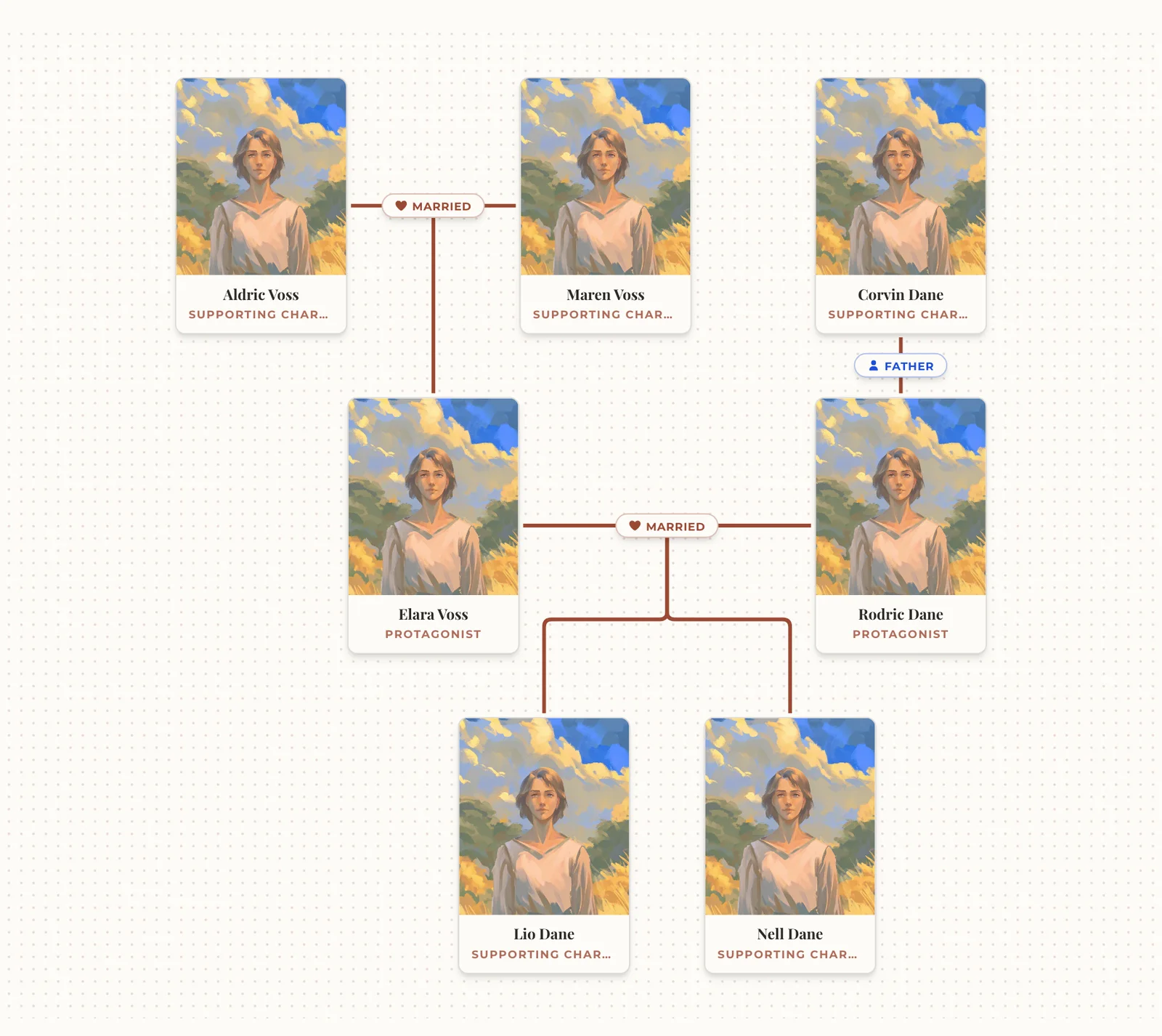
Succession wars, arranged marriages, forgotten heirs: a lot of fiction runs on who is related to whom. ForgeTales lets you draw the bloodlines of your world with the characters you have already created, so every house, marriage and heir stays consistent with the rest of your story.
Who is related to whom, at a glance
Dynasties, inheritances and family feuds are the engine of many stories, and they are also where continuity breaks most easily: a cousin who is suddenly a niece, an heir who could not have been born yet, a marriage nobody remembers arranging. In ForgeTales each family is a note in your wiki, and next to it lives its tree.
The first time you open it, the tree arranges itself by generations and centers on the screen. From there you add relatives right from each card: parents above, children below, spouses and siblings to the sides.
Built from the characters you already have
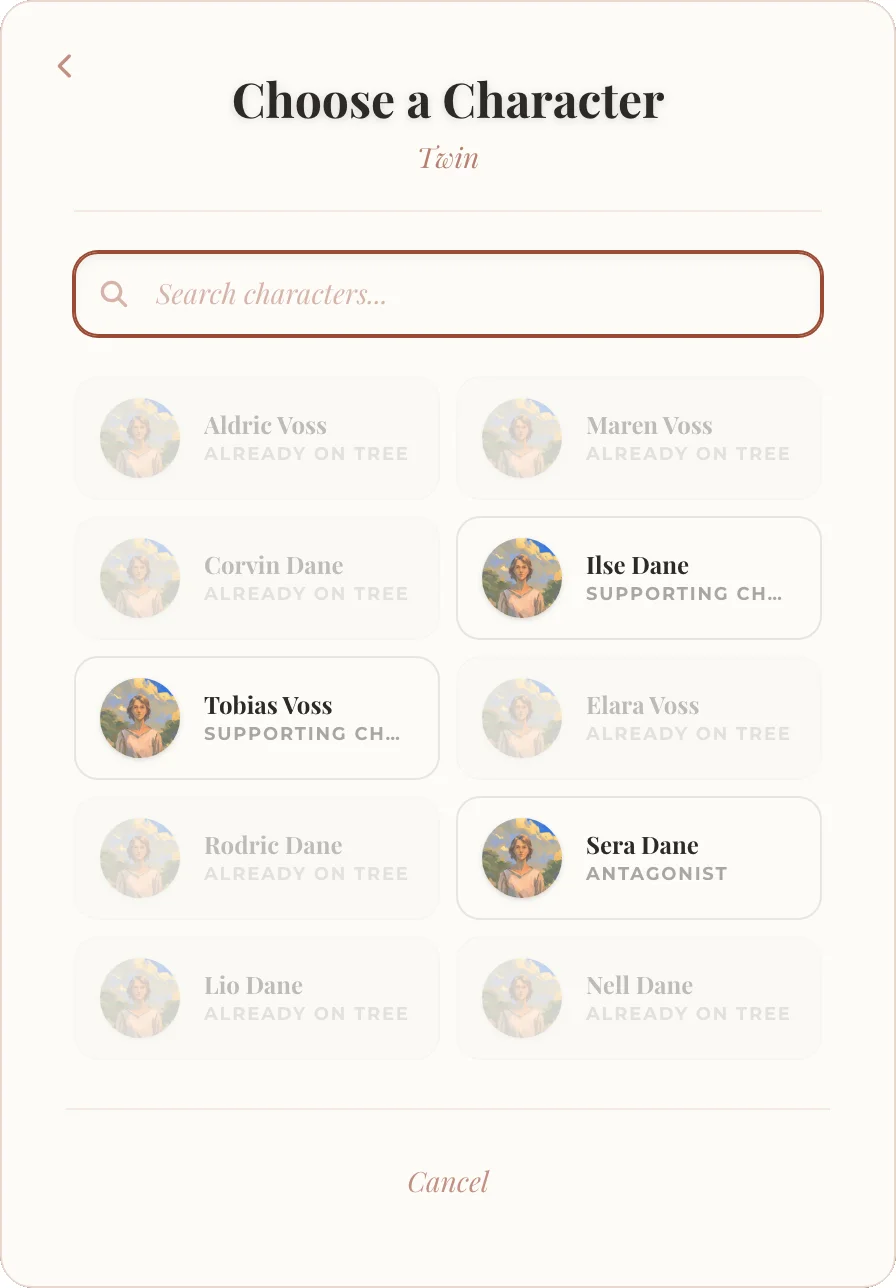
A tree's members are not names typed into boxes: they are the characters of your project, with their portrait and their role. When you add a relative you pick them from your roster, and the ones already on the tree are marked so you never repeat anyone.
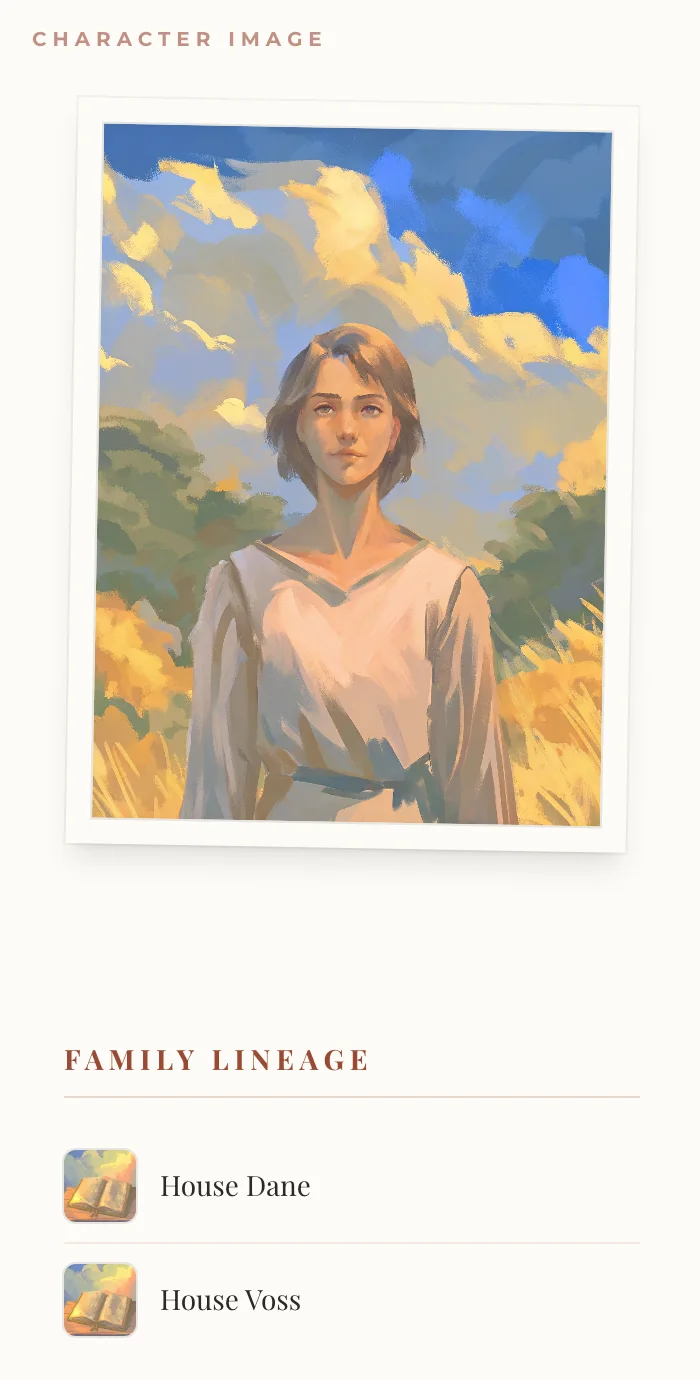
The link also works the other way. A character's sheet shows the families they belong to under Family Lineage, so while you write their backstory you know which houses they carry on their shoulders.
Every kind of family bond
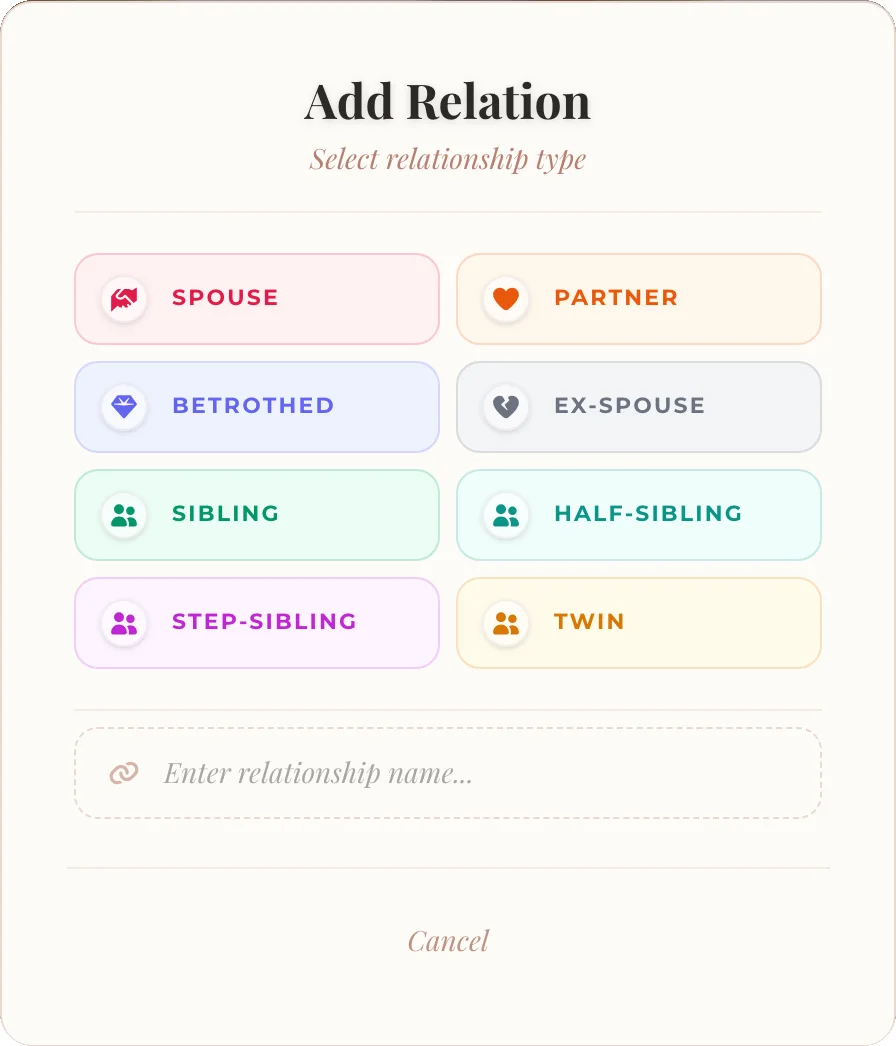
Real families are not tidy, and fictional ones even less. Each link has its own type and colour: biological or adoptive parents and children, spouses, partners, betrothed couples and former spouses, full siblings, half-siblings, step-siblings and twins.
If your world has bonds of its own, like a sworn brother, a ward or a blood pact, type its name and it becomes one more link. You can show or hide the labels on the lines whenever you want a cleaner view.
Houses that intermarry
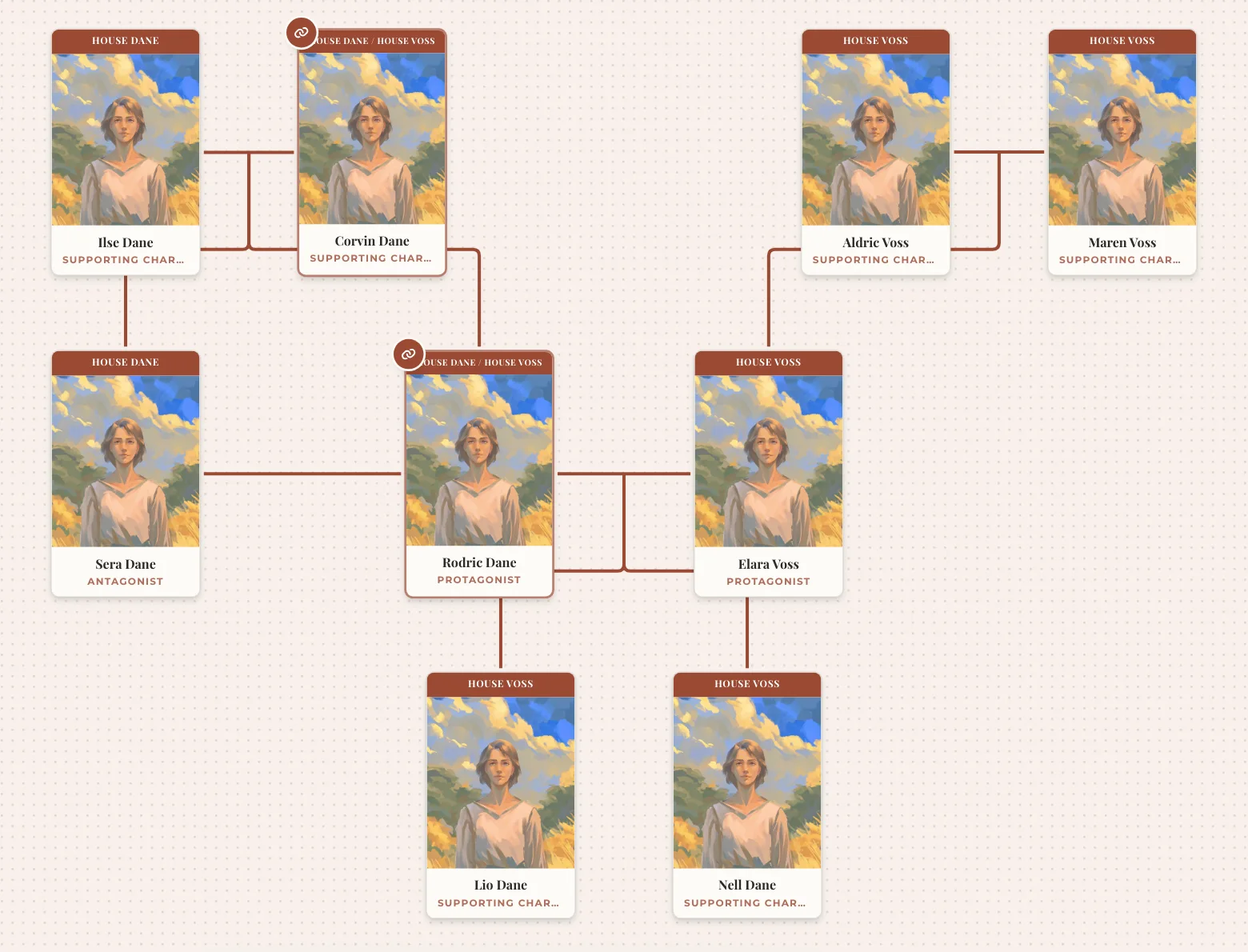
A political marriage joins two families, and a single character can belong to both. In ForgeTales they appear in each tree, with a link badge that marks them as the meeting point between houses.
On the Characters page, the Family Trees graph puts all your families on one canvas, each card labelled with its house. Choose which families to display and follow how the bloodlines of your world cross.
Arrange it your way and take it with you
Drag any card to move it, with alignment guides to keep the generations straight. The layout saves itself, and undo and redo are there if you change your mind.
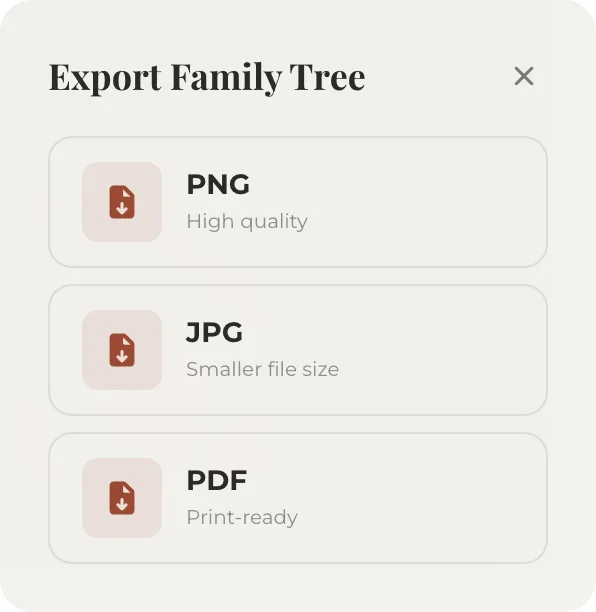
When the tree is ready, export it whole as PNG, JPG or PDF: to print it, paste it at the back of your book or hand it to your players at the start of the campaign.
What you can do with it
Your characters, not loose boxes
Every member of a tree is a character from your project. Change their sheet and the tree is already up to date; open their sheet and you see every family they belong to.
Every kind of bond
Fathers and mothers, adoptive parents, spouses, partners, betrothals and former marriages, siblings, half-siblings, step-siblings and twins. And if none fits, you name the bond yourself.
Houses that meet
One character can belong to several families. Marriages between houses become visible connection points, and all your families can be seen together on a single canvas.
Frequently asked questions
Can a character belong to more than one family?
Yes. A character can appear in as many family trees as your story needs. A link badge marks them as the meeting point between houses, and the Family Trees graph on the Characters page shows all your families together.
What kinds of relationships can I add?
Biological and adoptive parents and children, spouses, partners, betrothed couples, former spouses, siblings, half-siblings, step-siblings and twins. You can also type your own name for any other bond, like a sworn brother or a ward.
Can I print or share my family tree?
Yes. You can export the whole tree as PNG, JPG or PDF to print it, add it to your manuscript or share it with your players. A shared note opened in read-only mode can still be explored, zoomed and exported.
Writing software for fantasy novels →The 10 best apps for writing fantasy →